All your work.
One account. One Nemi.
Files, docs, sheets, mail, photos, calls and client rooms, built as one calm tool instead of ten subscriptions. Private by design and stored in the EU.
15 GB free, no card needed
You are probably paying for half of these. Ten logins, and one project scattered across four apps nobody can find on Monday morning.
What Nemi costs insteadOne product, not a bundle. Ten tools from ten companies mean ten passwords, ten places a file might live, and ten different sharing menus. Nemi is one login, one workspace, and one way of working.
One account
Every app shares the same layout, workspace switcher, share menu, and shortcuts. Learn Nemi once and you know it all.
Already connected
Anything you create in one app is immediately ready in the others: one workspace, one search bar, one share menu.
Fast where it counts
Uploads go straight from your browser to storage and pick up where they left off. Big files never wait on a middleman server.
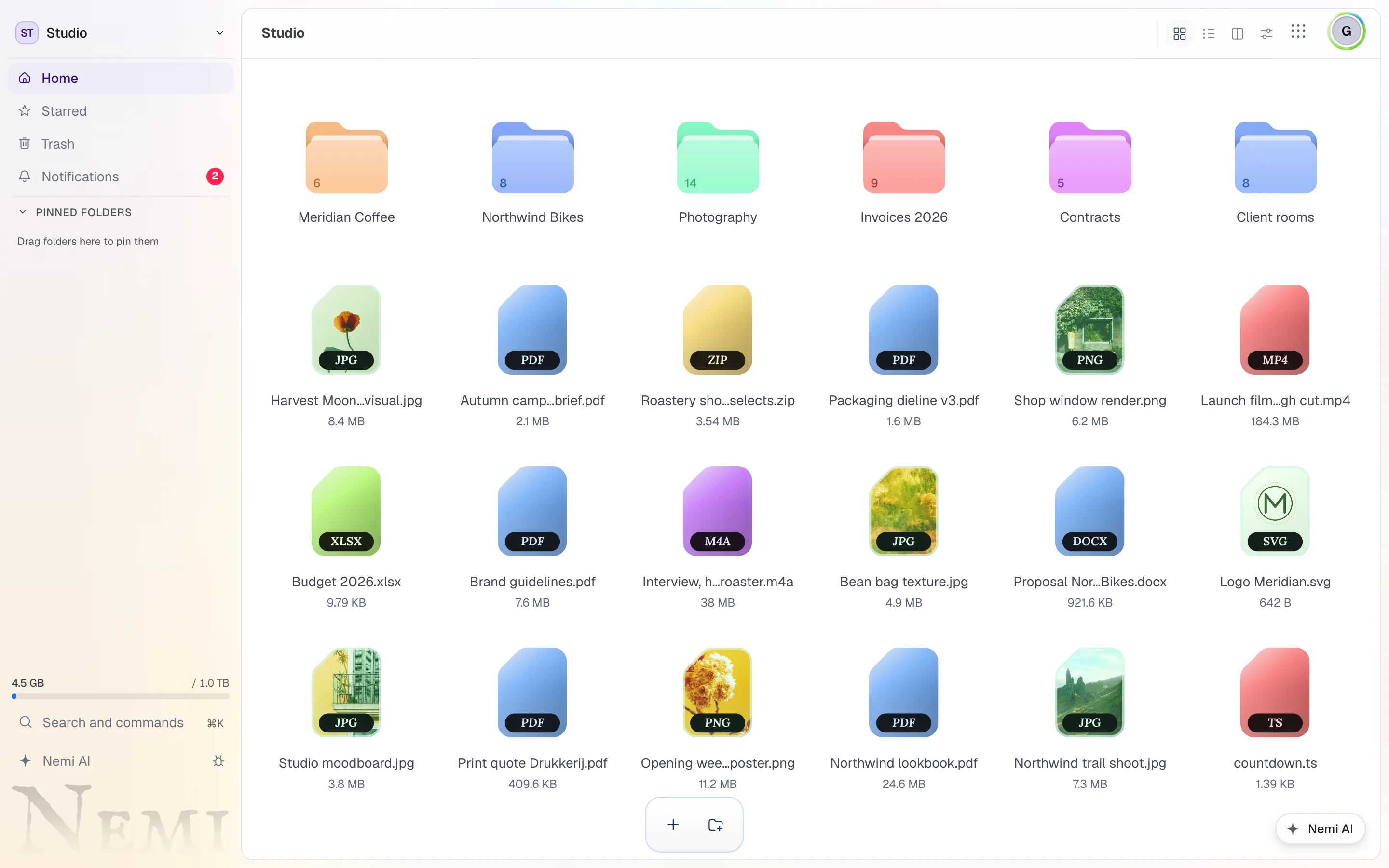
One bar for everything you do to a file.
Select a file and the bar shows only the actions that fit it. Each one opens right over your files, so sharing or converting never pulls you into another tab or app.
The bar grows with what you select.
With nothing selected it holds Upload and New folder. Select files and their actions slide in; select a folder and it offers Collaborate and an upload link instead; open the trash and it offers Recover and Delete permanently.
Try it: select or deselect a file, then press Share, Convert, Compress or Move. Nothing here leaves your browser.
Studio North › Campaign
Share
Who can open it
Expires
3 selected. Press an action in the bar.
Name the link, add people by email or username, and choose how long it lasts, from 24 hours to never, and who may open it: anyone, people signed in to Nemi, or only the emails and usernames you list.
Open in the demo above
Every format the file can become, grouped by kind, with the ones that take two steps marked. The result downloads, or lands in your workspace next to the original.
Open it in the demo
Pack files into ZIP, TAR, TAR.GZ and more, at a compression level you pick, or switch to Unpack for an archive you were sent.
Open it in the demo
Pick the workspace and the folder, or make a new folder on the spot. Duplicate puts a copy there and leaves the original where it was.
Open it in the demo
Everything you need, already connected.
Each one is a full app, not a stripped-down tab. They share one workspace, so anything you create in one is already waiting in the others.
Files
ExploreSend any file, and know that it arrived.
Nemi AI
ExploreAsk in plain words. Nemi AI does the work.
Docs
ExploreWrite together, live.
Meet
ExploreVideo calls. Guests just open a link.
Convert
Explore100+ formats, right where the file is.


Gallery
ExploreSearch your photos by what is in them, privately.
Rooms
ExploreOne page per client: the files, the list, the chat.
Or just ask for it. Nemi AI does the work, using only your permissions.
Nemi AI is built right into your workspace. Ask it to sort a month of invoices, share a video with a password for a week, or build a sign-up form that saves answers to a sheet. Most changes undo with one click.
Included on Pro, Max, and Business. Connecting your own assistant, like Claude or ChatGPT, works on every plan, including Free.
See what Nemi AI can doAsk in plain words
- Found 23 invoices from March
- Created 6 folders under Invoices / March
- Moved 23 files
Private because of how it is built. Not just a promise in a policy.
Whenever possible, the work runs on your own device and never reaches our servers. Every point below is how the product is built, and our privacy policy spells it out in the same detail.
How Nemi is built and hostedYour device does the work whenever it can
Gallery compresses and indexes photos right in your browser whenever possible. Video calls go browser to browser, encrypted so our servers can't see them. Device transfers connect directly, and Vault folders encrypt before they ever leave you.
Our own engine, our own hardware
Archiving and file conversion run on our own Rust engine in the Netherlands, never on a third-party API. Over 100 formats, with every result landing right back in your workspace.
Learn one app, know them all
Every app shares the same layout, workspace switcher, share menu, and keyboard shortcuts. Learn Nemi once and you're at home everywhere.
Plain about what we keep
Our privacy policy names the exact details: what leaves your device, what we store, how long we keep it, and even where an older version was inaccurate. It's written to be read, not endured.
Your name on it, not ours.
Working with clients? On any paid plan, they see your logo and colours. From Creator up, they visit your own domain, on a page that opens in one tap with no account required.
Branded share pages
Add a password, an expiry date, or a download limit whenever the delivery needs it.
Approval right on the file
Use clear review rounds instead of digging through email threads for feedback.
Know it arrived
See opens and downloads, and turn on Trace to see which page they stopped on.
One room per project
Keep the files, the checklist of what you still need, and the conversation together.
Fair questions.
- What is Nemi?
- Nemi is one account for files, sharing, docs, spreadsheets, whiteboards, forms, calendar, email, photos, video meetings, and client rooms. Made in the Netherlands, hosted in the EU, and free to start with 15 GB.
- Is Nemi free?
- Yes. The Free plan includes 15 GB of storage and every app except Mail, with no credit card needed. Paid plans start at €3.99 a month and add more storage, larger file uploads, higher conversion limits, files that never expire, and your own Nemi Mail address.
- Can Nemi replace Google Workspace, Dropbox or WeTransfer?
- For most freelancers, studios, and small teams, yes. Storage, sharing, docs, sheets, forms, calendar, email, video calls, and photos all live in one account on one bill. Where another tool goes deeper, our comparison pages say so plainly. For example, spreadsheets with hundreds of complex formulas still belong in Google Sheets or Excel.
- Where are my files stored, and who can read them?
- Everything is stored in the EU and encrypted in transit and at rest. For files that nobody else should ever be able to open, put them in a Vault folder. Vaults are end-to-end encrypted in your browser, so not even Nemi can read what's inside.
- How big a file can I send?
- Up to 0.5 GB per file on the Free plan and up to 200 GB per file on Business. Every share link supports a password, an expiry date, and a download limit on every plan.
- Does Nemi work with ChatGPT and Claude?
- Yes. Any assistant that supports MCP connectors, including Claude and ChatGPT, can connect to your workspace at https://mcp.nemilab.com to read, write, and share for you on every plan. Nemi AI, our built-in assistant, is included on Pro, Max, and Business.
Move in once. Cancel the rest.
Nemi is opening in groups. Join the list in under a minute, and we'll email you the moment your spot is ready.
15 GB free when you get in. No card needed.