Nemi Meet
An app in Nemi
Video calls that stay between the people in them. Browser to browser. Guests just open a link.
Meet connects everyone on a call directly to each other. Audio, video, and shared screens travel browser to browser, encrypted end to end, so our servers can't see or hear them. That isn't a toggle; it's how Meet is built. Live captions are the one exception, and the host decides per meeting whether to turn them on.
15 GB freeNo cardStored in the EU
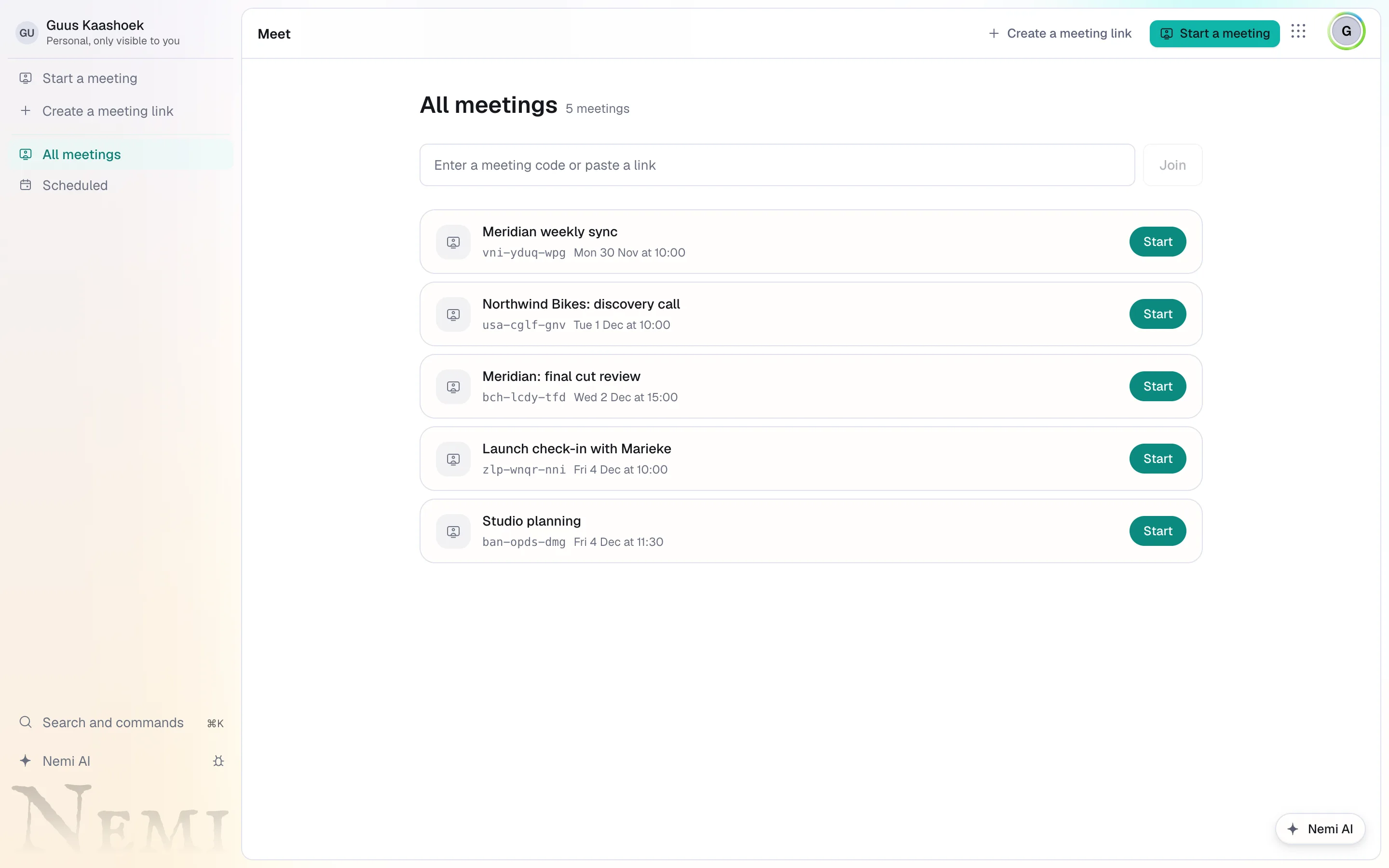
Nemi Meet, a real screenshot. The content is demo data.
Video calls in the browser. Guests join with a link, no account needed. Each of these is true of the product today.
Our servers can't see or hear your call
We introduce the browsers to each other and step out of the way. On strict networks that block direct connections, our relay forwards the encrypted stream without being able to read or store it. Even if asked, we couldn't produce a recording of your call. If someone chooses to record a meeting, it runs in their browser and saves straight to their own Nemi files.
On-device backgrounds, opt-in captions
Background blur and replacement run locally in your browser. Live captions are the one exception: when the host turns them on, the meeting's audio goes to a transcription service in the EU, and everyone in the call sees a clear indicator. Meeting notes and whiteboards are ordinary Nemi documents, so they stay ready after the call.
Guests just click the link
No account, no download, no plugin. Screen sharing, a shared whiteboard, and meeting notes are all built in. Calls hold up to ten people depending on your plan, which is the honest ceiling of direct browser-to-browser connections.
Inside Meet. The parts you will use every day.
The layout adapts to your screen
Video tiles are sized for your actual window instead of rigid presets. Five people in a wide window sit three over two, with the bottom row centred. The moment someone shares their screen, it takes centre stage and the faces glide smoothly into a rail below.
Blur stays in your browser, captions are the host’s call
Background blur and replacement run locally in your tab, so everyone else only ever sees the edited frame, and the model downloads only when you first turn Blur on. Live captions work differently and we state it plainly: when the host turns them on, the host’s browser mixes the room’s audio and sends it to a transcription service in the EU. They stay off until switched on, and everyone in the call sees a clear indicator.
 Poppies
 Tide
 Ice
 Dune grass
 Dusk
 Storm
You leave with the notes
When captions are enabled, ending the call saves a Nemi document with the speaker-grouped transcript, chat messages, and poll results. The whiteboard is a regular Canvas document too, so everything you sketched stays right in your workspace after the call.
What you can stop doing. Meet comes with the same account as everything else, so it is never one more sign up.
- ZoomNemi Meet
- Google MeetNemi Meet
From the blog. How Meet was built, and why.
Every postHow Nemi Student works for group projects
Verified students get 100 GB shared storage, 3 workspaces with up to 8 members each, Nemi Mail and 30-day workspace archives, free for up to 5 years per school.
Product3 min read
Which plan applies when you work in someone else's workspace
Every workspace runs on its owner's plan, so teammates on Free get the owner's limits. Learn which features follow the workspace and which follow your account.
Guides3 min read
Live captions: exactly where your meeting's audio goes
How do live captions work in a video call? In Nemi Meet, the host's browser sends mixed audio to a speech service in the EU. Every path, and what's kept.
Privacy10 min read
It comes with the rest of Nemi. One login, one workspace, one bill.
Every app is part of the same account and the same workspace. These are the ones that sit closest to Meet.
Move in once. Cancel the rest.
Nemi is opening in groups. Join the waitlist once and every app comes with your account when your spot opens.
15 GB free when you get in. No card needed.