Approvals, built into Nemi
Approval, right on the work.
Clients open the link, pin comments on the exact spot, and approve or request changes. The full history stays with the file.
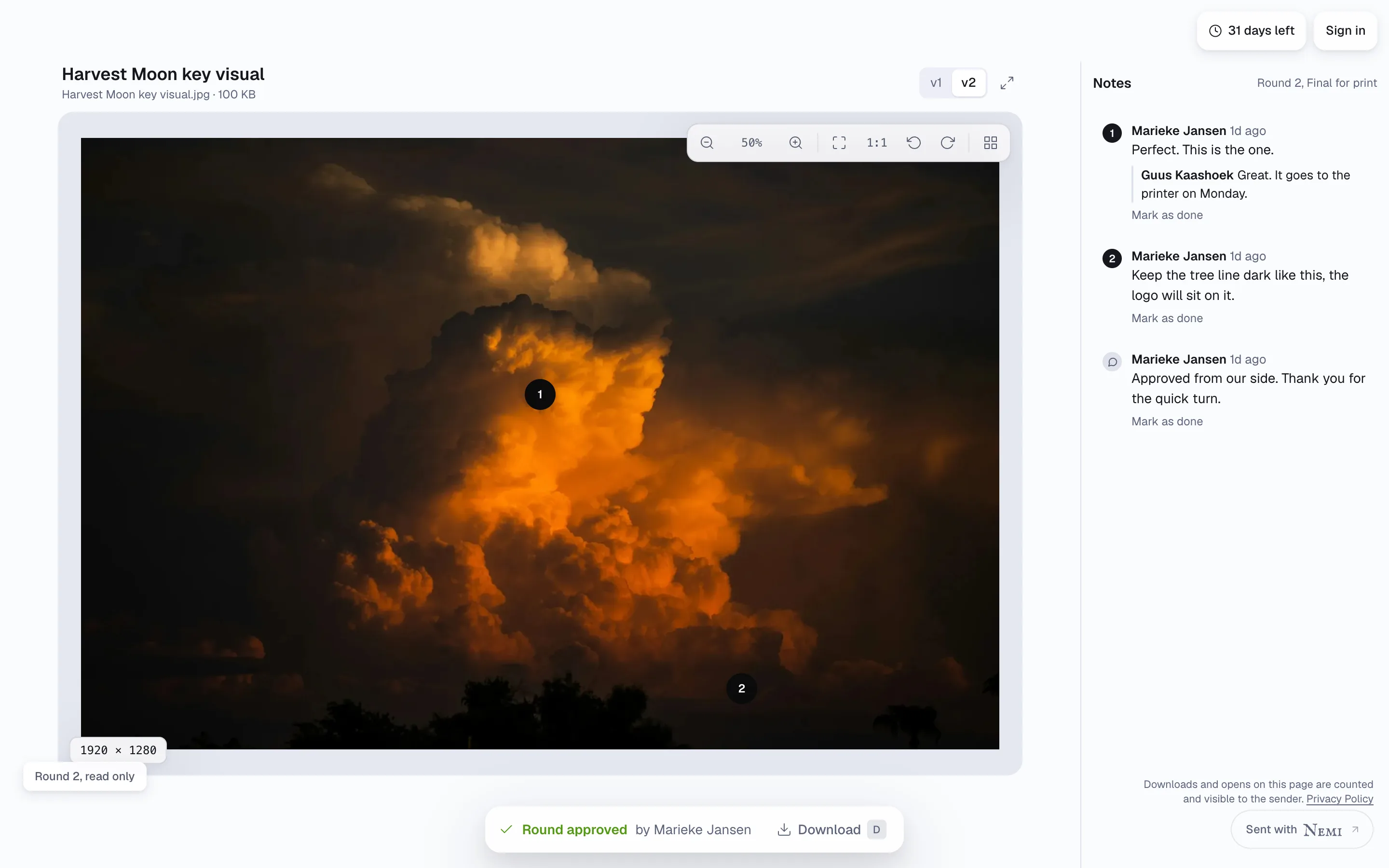
Two rounds. One clear yes.
Every version is its own round, so what was asked, what changed and who said yes is written down, with a date, on the file. This is one from the demo workspace.
Round 1. First pass
Changes requested · 23 Oct
- 1Can the cloud sit a little higher? The logo goes bottom left. Marieke, the client
- 2Love this orange. Keep it exactly like this for the bag. Marieke, the client
- 3The poster crop needs 3 mm bleed on every side. Marieke, the client
Round 2. Final for print
Approved · 27 Oct- 1Perfect. This is the one. Marieke, the client
How it works. Approvals in three steps.
1.
Share for review
Turn on review for your share link. Clients open it like any other link, with no account required.
2.
Pin comments on the work
Reviewers drop notes on the exact spot in an image, page of a PDF, or second of a video.
3.
Approve or request changes
Uploading a new version starts the next round while keeping earlier rounds intact.
The fine print, in large type.
Review rounds put the decision right where the work lives. Clients open the link, leave comments on the file, and either approve the round or request changes. The full history stays attached to the file.
- 01
No account for reviewers
They just open the link. That's all it takes.
- 02
Clear rounds, not endless threads
Each version gets its own round, so what was approved and when is always clear.
Built into every app, like this one.
And the AI connection, for the assistant you already use.
Move in once. Cancel the rest.
Nemi is opening in groups. Join the waitlist once and every tool on this page comes with your account when your spot opens.
15 GB free when you get in. No card needed.